Visual effects #
While graphical improvements are far from the primary goal of the Featureful SDK, it still provides some graphic features most of which are configurable to some extent.
Wallpuffs #
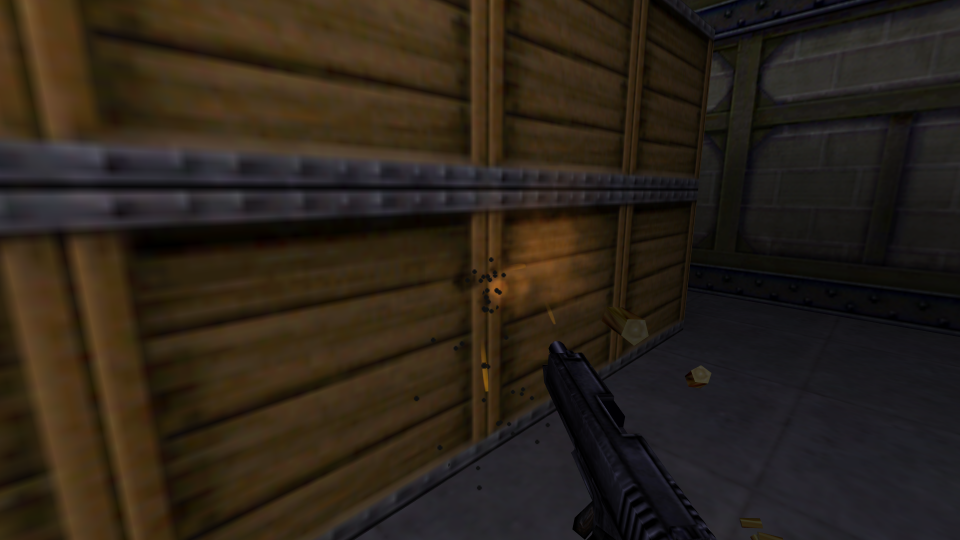
Wallpuffs are small clouds of dust that play when a bullet-based weapon hits the world geometry or brush objects. This effect is similar to one used in Counter Strike, Day of Defeat and some other mods.
- Wallpuffs are not enabled by default. The user can enable wallpuffs by setting the
cl_weapon_wallpuffcvar to 1. See CVars. See Advanced settings for exposing the cvar to the settings UI. - To enable wallpuffs in the mod by default set the
weapon_wallpuff.enabled_by_defaultfeature totruein features/featureful_client.cfg. - The sprites used for wallpuffs can be configured by setting
wall_puff1-wall_puff4in features/featureful_client.cfg, allowing for up to 4 different sprites. - By default the single sprites/stmbal1.spr sprite is used for wallpuffs (a standard resource that exists in Half-Life).
- The wallpuff color depends on the material the bullet hits and can be configured.
Grey wallpuff on concrete walls Brown wallpuff on wood material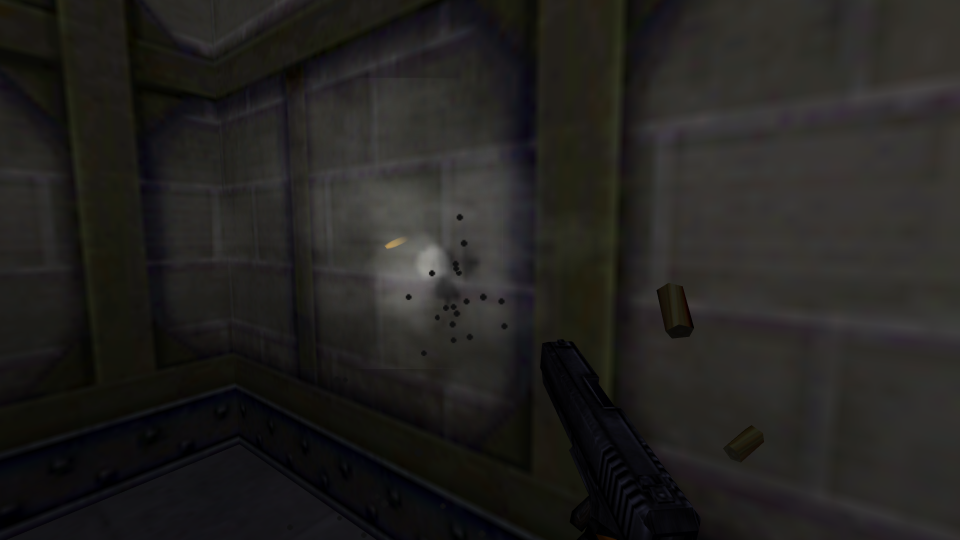
Wall impact particles #
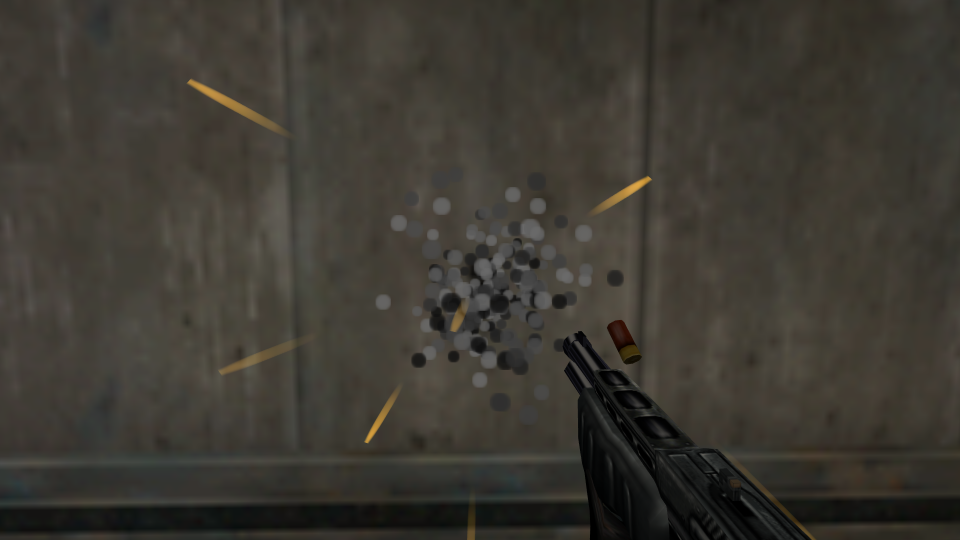
Wall impact particles spawn when the bullet-based weapon hits the world geometry or brush objects (also some projectiles like nail) can produce wall impact particles). This effect existed in Half-Life from the beginning but Featureful SDK provides some options for its customization.
- The wall impact particles style can be configured by a user via the
cl_wallimpact_stylecvar. See Advanced settings for exposing the cvar to the settings UI. - The default style used in the mod is configured by
wallimpact_style.defaultfeature in features/featureful_client.cfg. - The particles color can be changed per material.
Default Half-Life wall impact particles Quake style wall impact particles Quake II style wall impact particles Custom impact particles color for wooden surfaces


Gunsmoke #
Gunsmoke is a cloud of dust that some weapons spawn upon firing on one of the viewmodel’s attachmenets (usually the end of barrel). Whether the weapon is able to produce gunsmoke is controlled by gunsmoke in weapon templates.
- Gunsmoke is not enabled by default. The user can enable gunsmoke by setting the
cl_gunsmokecvar to 1. See Advanced settings for exposing the cvar to the settings UI. - To enable gunsmoke in the mod by default set the
gunsmoke.enabled_by_defaultfeature totruein features/featureful_client.cfg - By default gunsmokes use the same sprites as wallpuffs.

Gunsmoke example
Blood #
Blood effects are shown on monsters when they take damage from tracing attacks (bullets, lasers, projectiles, player’s melee weapons). The amount of blood depends on the incoming damage. Featureful SDK provides options for the blood effect customization:
- The blood splatter style can be configured by a user via the
cl_bloodsplatter_stylecvar. See CVars. See Advanced settings for exposing the cvar to the settings UI. - The default blood splatter style used in the mod is configured by
bloodsplatter_style.defaultfeature in features/featureful_client.cfg. - The user can enable blood streams by setting the
cl_bloodstreamto 1. Blood streams spawn only when the incoming damage is high enough. See CVars. See Advanced settings for exposing the cvar to the settings UI.

Default Half-Life blood splatter and spray

Half-Life Day One blood

Quake blood particles
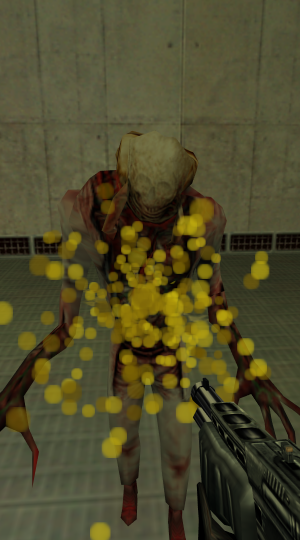
Quake II blood particles

Blood stream (like in Half-Life Alpha)
Entities #
The list of entities related to creation of various visual effects in game:
- env_beam
- env_blood
- env_dlight
- env_quakefx
- env_shockwave
- env_shooter
- env_smoker
- env_splash
- env_streak
- particle_shooter
Fullbright textures on studio models #
Featureful SDK supports rendering of fullbright textures (fullbright flag) on studio models. Such textures are drawn in full brightness even in the complete darkness (example: the battery model from Sven Co-op).
When running the mod on GoldSource, Featureful SDK uses a special logic to render parts of the model in fullbright. Since Xash3D handles fullbright textures on studio models natively, Featureful SDK skips this special logic when the mod is running on Xash3D.
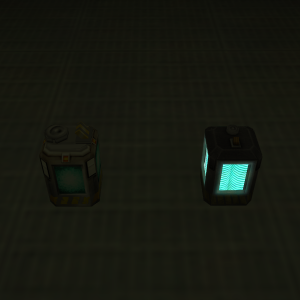
Regular battery next to one with fullbright texture, in the dim lit area
The way Featureful SDK implements support for fullbright textures on GoldSource may conflict with external renderers like Meta Renderer.
If you intend your mod to run on such renderer and use fullbright textures you need to add the following line to the features/featureful_client.cfg:
fullbright_textures false