Messsage boxes #
Message boxes can be shown to players via game_messagebox entity.
The message boxes can be closed by user clicking the primary attack button/key. If there’re multiple active message boxes they’re being closed from newest to oldest. The active message boxes are preserved between save-loads (but only up to 8 message boxes), but not between level transitions.
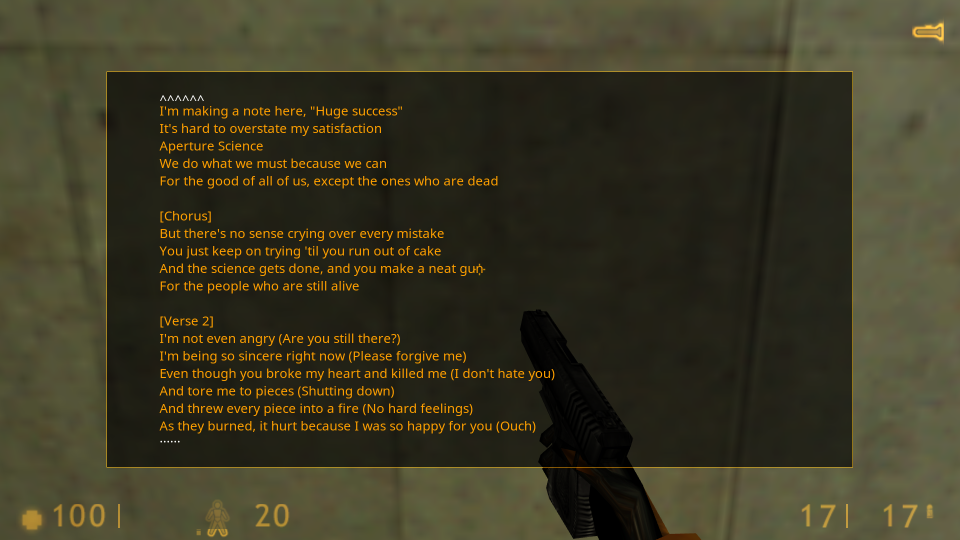
If the text is too long or has too many lines, the scroll is enabled:
- The client can use mouse wheel to scroll text.
- The client can use PageUp and PageDown keys to scroll text.
- The indicators are shown at the start or at the end of the visible portion of text.
See also: